
Voicemail Manager

pexels-luis-gomes-546819


Getting started with Voicemail Manager

Sign-Up

1. Add the App in Team Apps and open it in Teams. You could also open direct via https://voicemailmanager.exobe.com/, the you have to sign in.

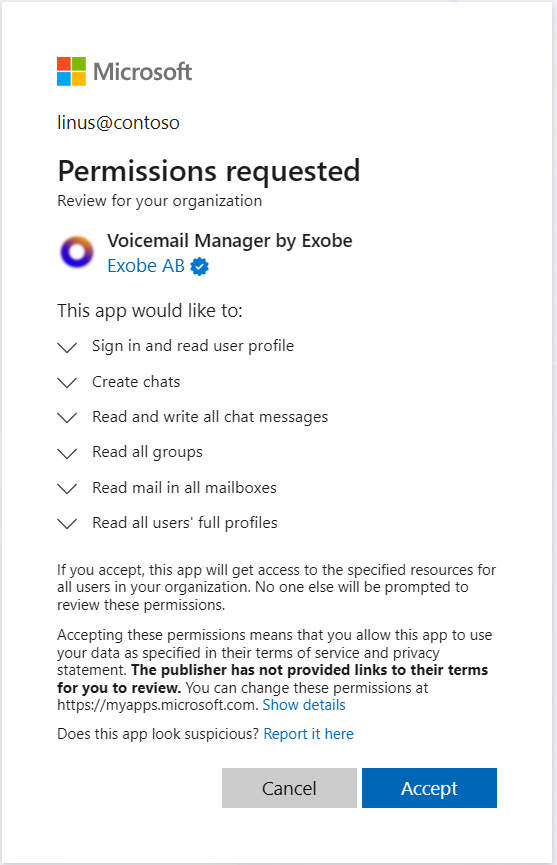
2. If you have not approved Apps By Exobe, you have to do this now. As Global Admin accept the Permissions requested. Make sure that you tick "Consent on behalf of your organization".
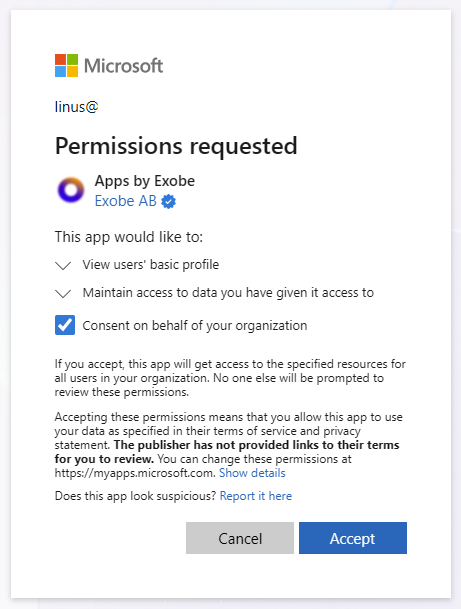
Image (7)

Assign Admin permissions

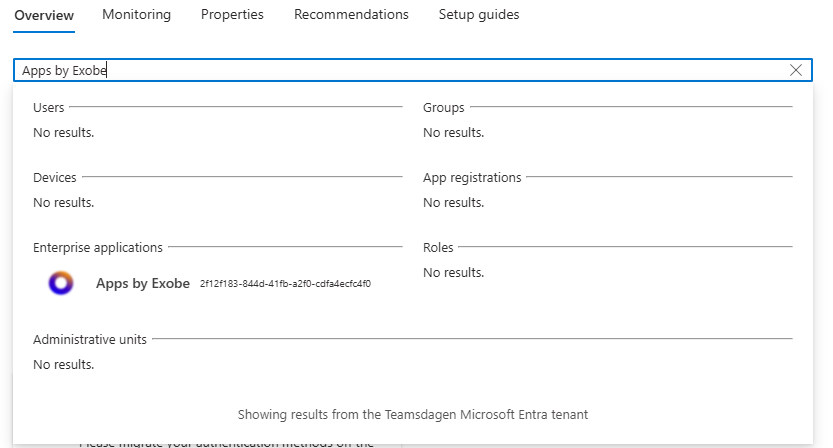
1. Open https://portal.azure.com and search for Apps by Exobe
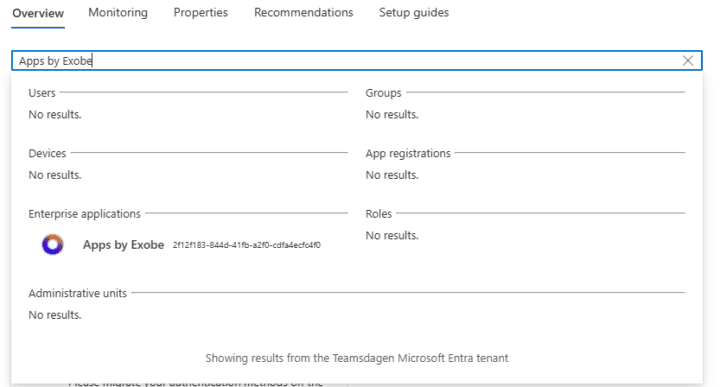
Image (8)

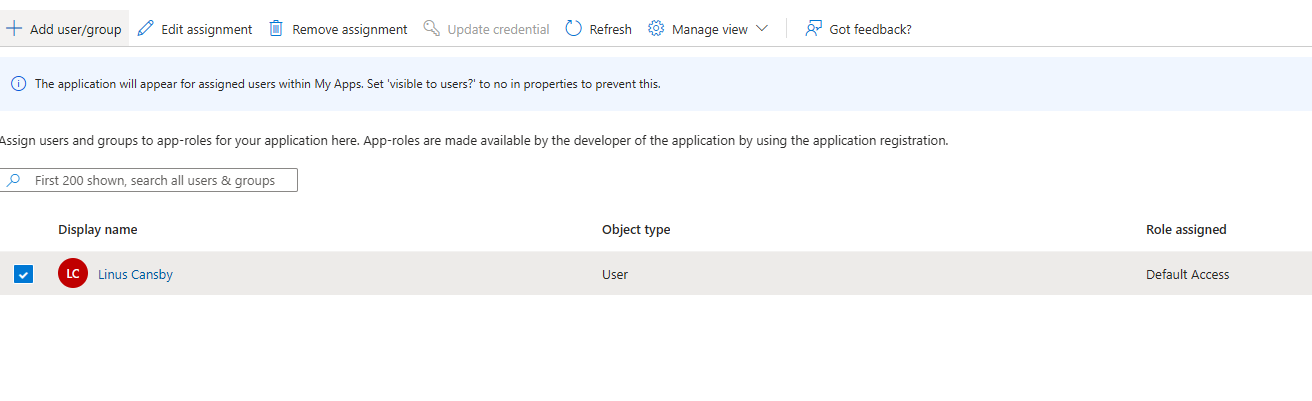
2. Set at least one user as VoiceMailManager.Admin. To edit the first user check the checkbox to the left of the user and then click Edit assignement.
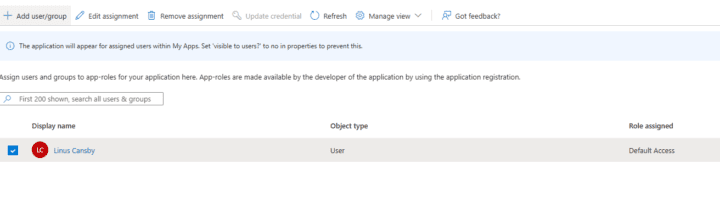
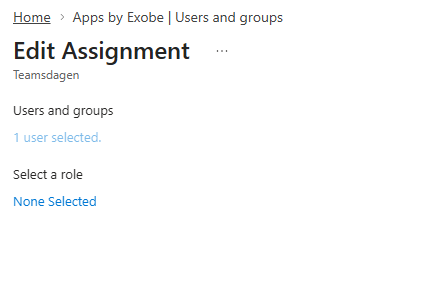
Image (9)

3. Click None selected to select a role

Image (10)

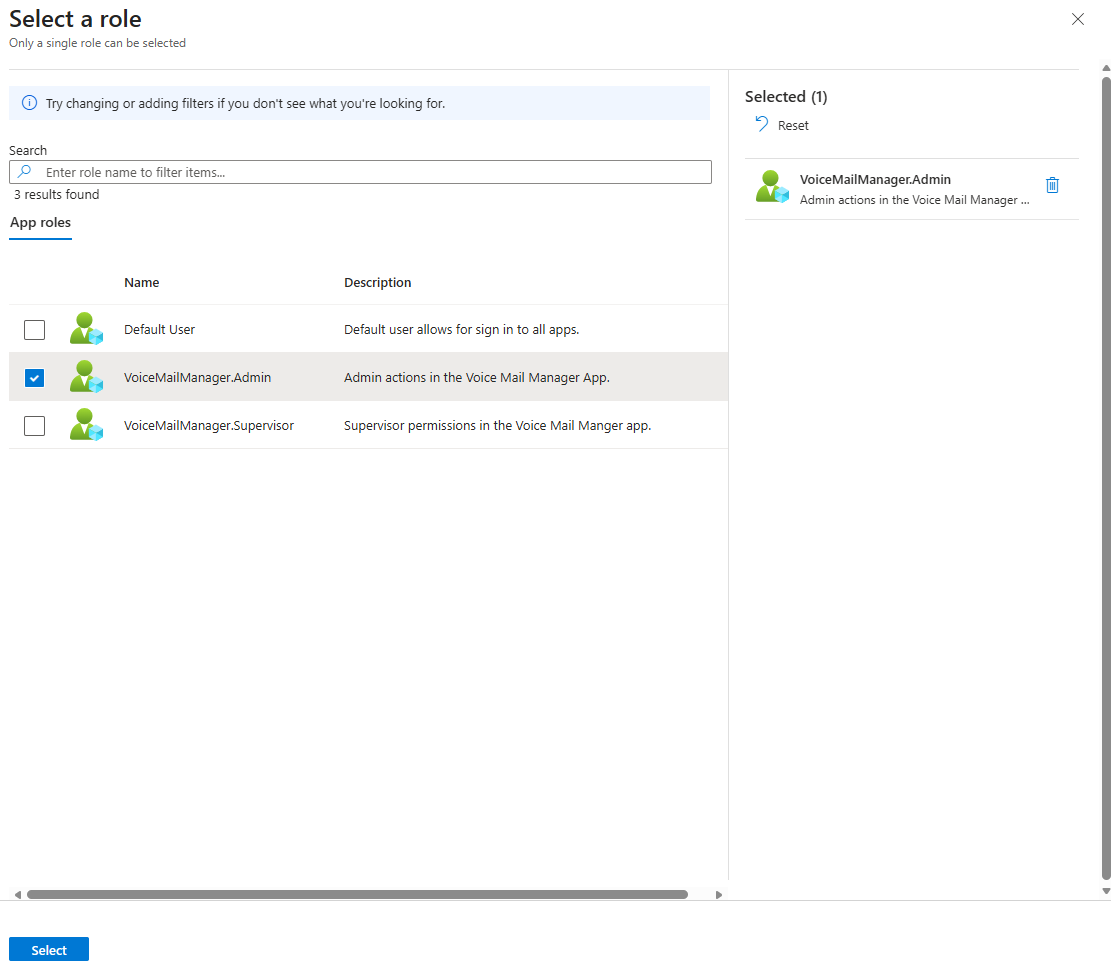
4. Select the VoiceMailManager.Admin role and click Select
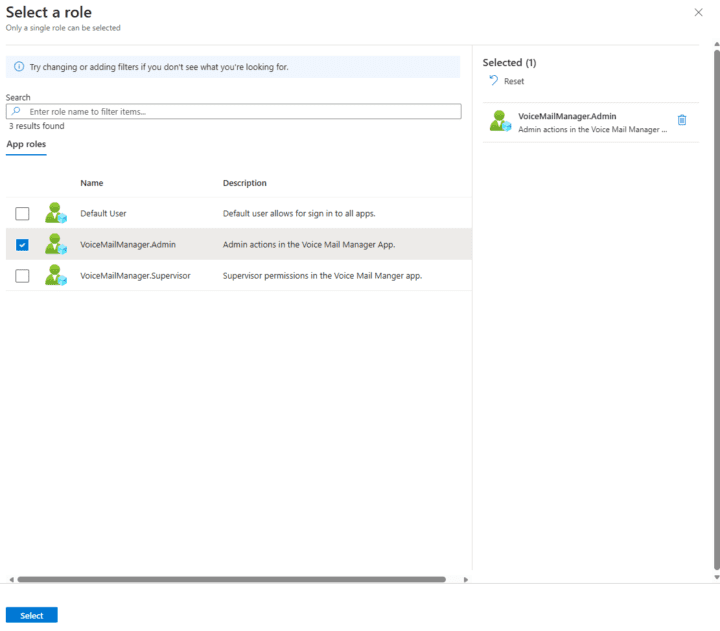
Image (11)

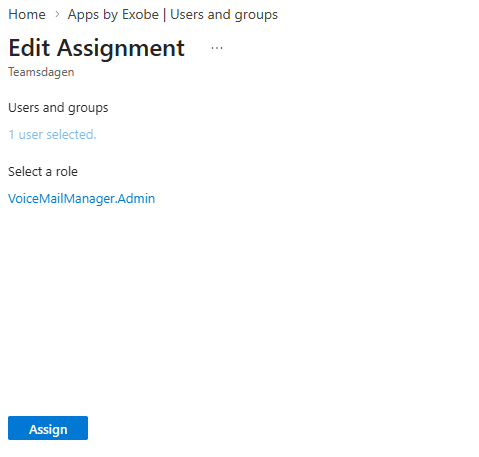
5. Click Assign to assign the role

Image (12)

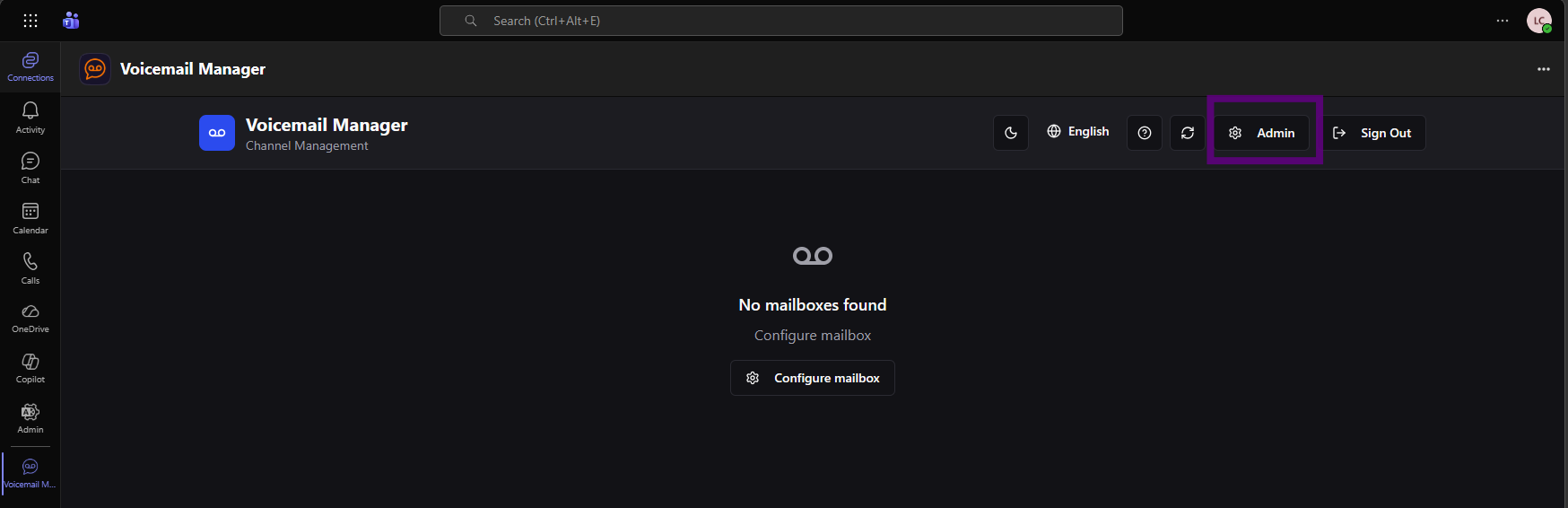
6. As administrator you should now be able to see the Admin portal in VoiceMail Manager. If not sign out and sign in again. Open Admin Panel by clicking on the Admin-button.
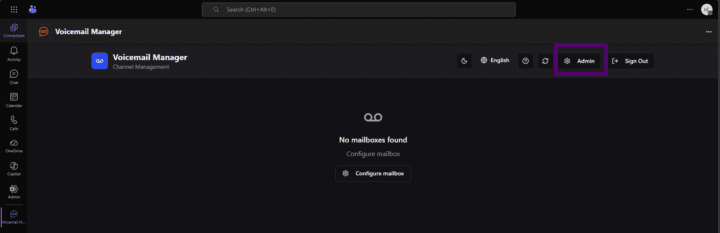
Image (13)

Onboarding

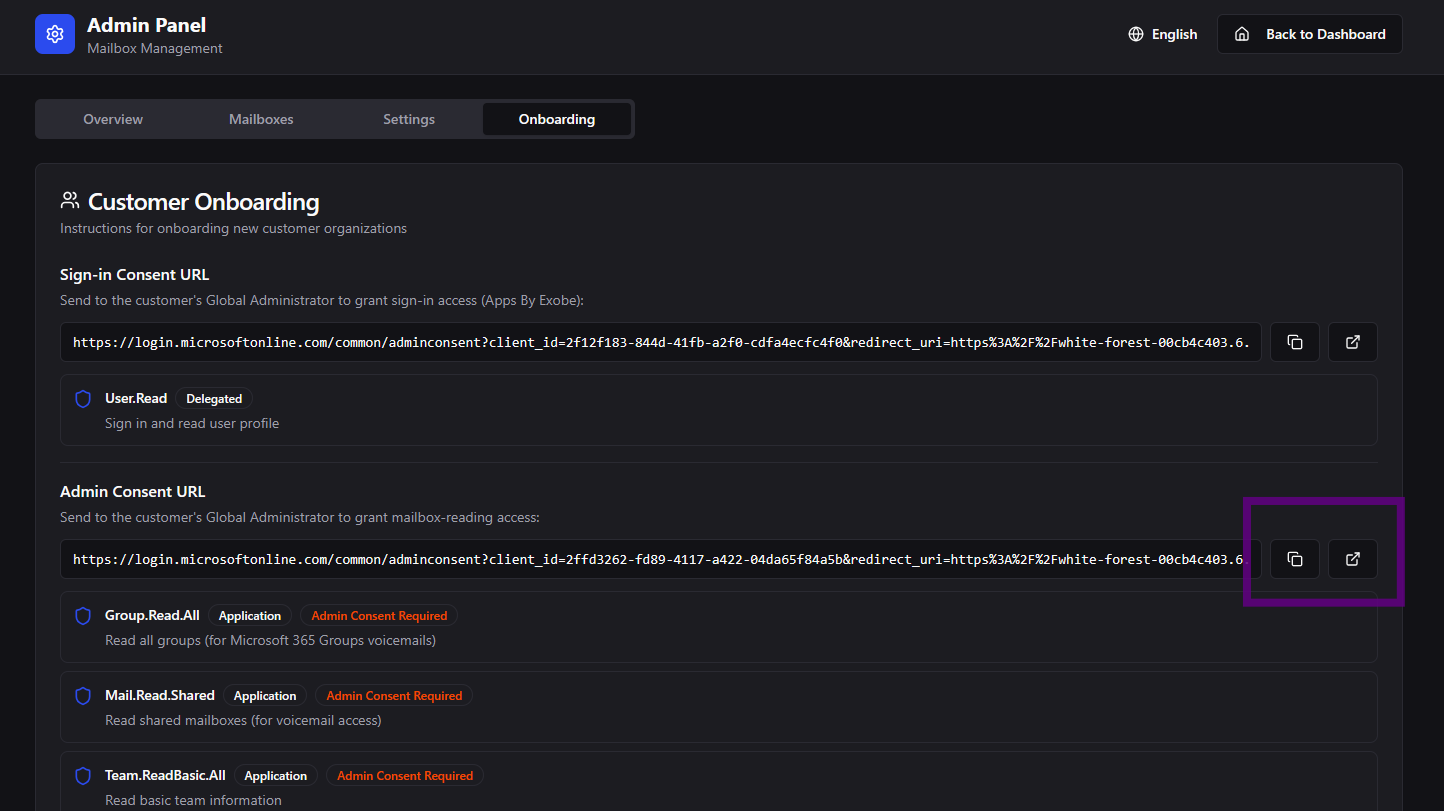
1. In Admin Panel go to Onboarding. If you are signed in as Global Admin, click the right button to open the consent form, if you are not signed in as Global Admin, click the left copy button to copy the consent URL. As Global Admin paste the content into a web browser where you are signed in as Global Admin.
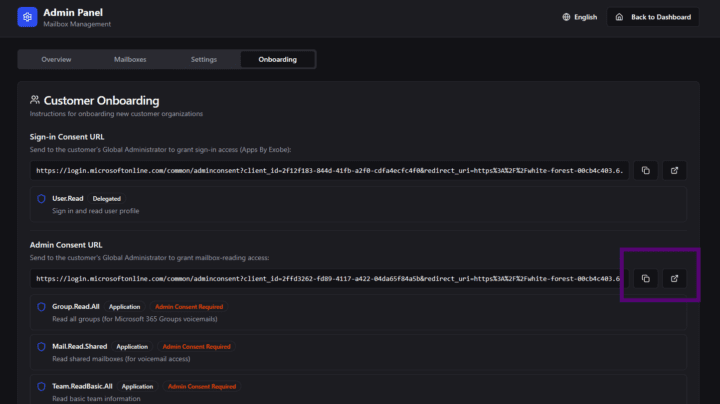
Image (14)

2. Accept the Permission request

Image (15)

Add Mailbox

Make sure that you are signed in as admin

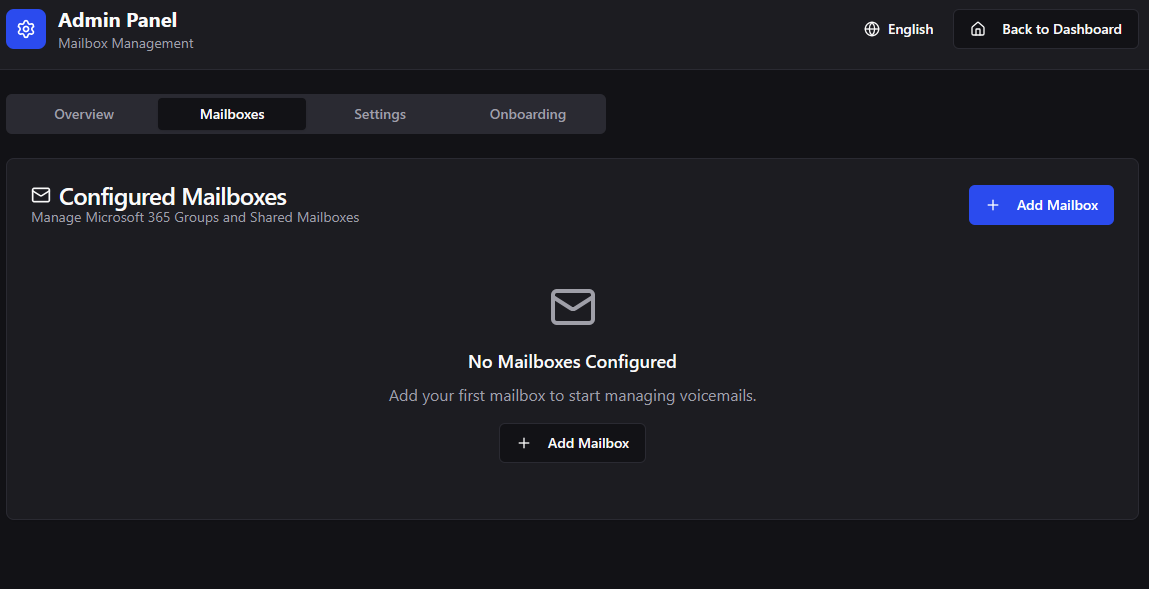
Open Admin -> Mailboxes

Click "Add Mailbox"
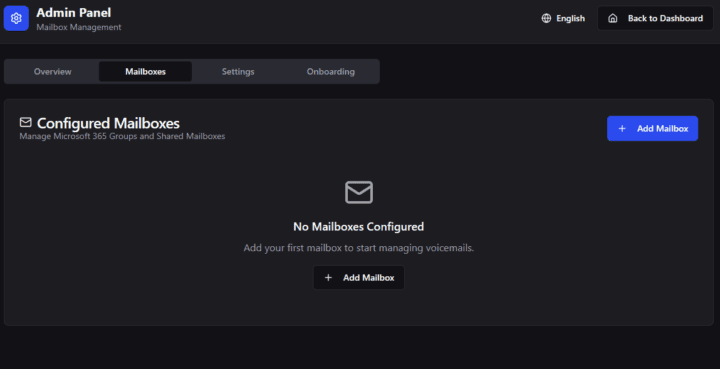
Image (16)

Search for your mailbox (Microsoft 365 Group or Shared Mailbox), select it. And then click Add Mailbox
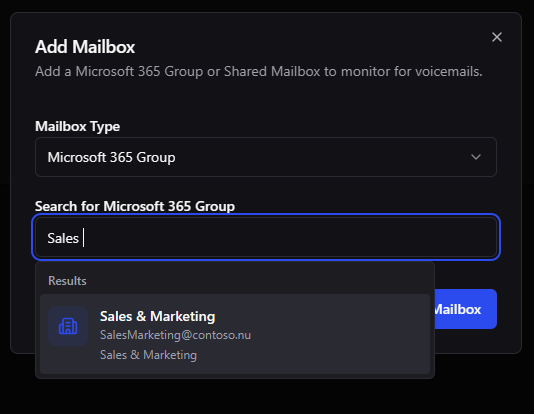
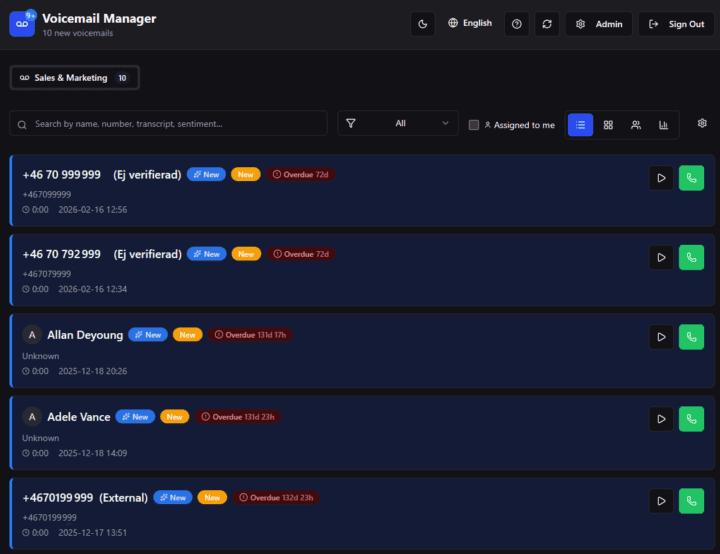
Image (17)
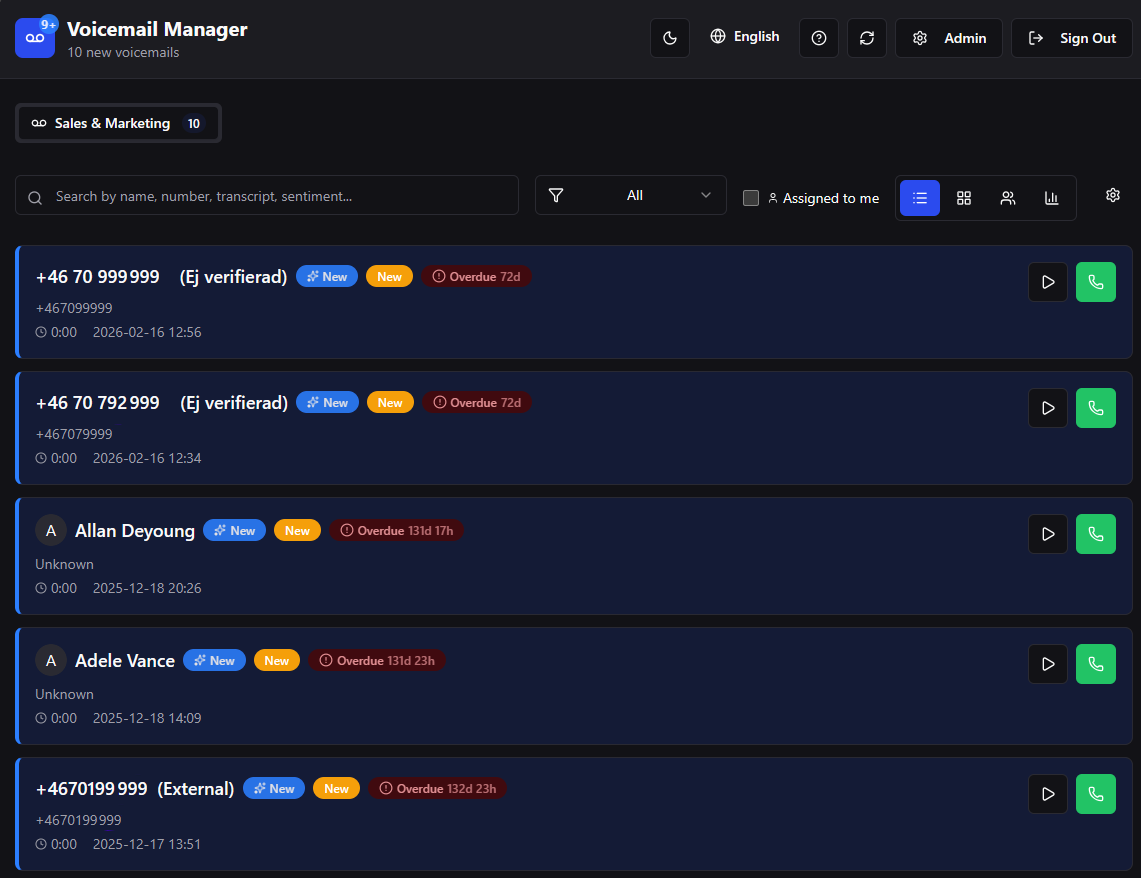
You should now see voice messages from the group, if you have any. Only messages with audio files will be imported.
Image (18)

Connect Voicemail mailbox to channel

Open app in Teams, via Apps. Select a Channel to add Voicemail Manager to.
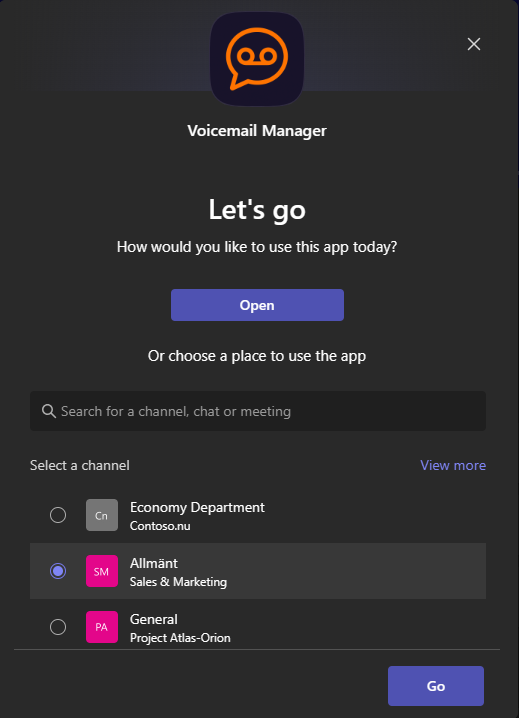
Image (19)

Voicemail Manager will post a message with Conversation ID and Service URL. Copy these values.

Open Voicemail Manager and select Edit

Image (20)
Paste Service URL and Conversion ID. Click "Save Channel Settings"
To test notification, click the bell icon and a message will appear in the connected channel
Image (21)
Voicemail Manager •

At Exobe we help you taking the next step with digital tools and the new way of working. We follow you on your journey towards a new better way of work. Fill in the form below and we will respond as soon as we can.

This field is hidden when viewing the form

Follow Us!

We love sharing our knowledge, experiences, and new finds from the exosphere. Be sure not to miss out and follow our newsletter or follow us on LinkedIn.
This website uses cookies

Cookies consist of small text files. They contain data that is stored on your device. To enable us to place certain types of cookies we need to obtain your consent. At Exobe AB, corp. ID no. 556769-5605, we use the following kinds of cookies. To read more about which cookies we use and storage times, click here to access our cookies policy.

Manage your cookie-settings

Necessary cookies

Necessary cookies are cookies that must be placed for basic functions to work on the website. Basic functions are, for example, cookies which are needed so that you can use menus on the website and navigate on the site.

Functional cookies

Functional cookies need to be placed on the website in order for it to perform as you would expect. For example, so that it recognizes which language you prefer, whether or not you are logged in, to keep the website secure, remember login details or to be able to sort products on the website according to your preferences.

Cookies for statistics

For us to measure your interactions with the website, we place cookies in order to keep statistics. These cookies anonymize personal data.

Personalization cookies

In order to provide a better experiance we place cookies for your preferances

Cookies for ad-tracking

To enable us to offer better service and experience, we place cookies so that we can provide relevant advertising. Another aim of this processing is to enable us to promote products or services, provide customized offers or provide recommendations based on what you have purchased in the past.

Ad measurement user cookies

In order to show relevant ads we place cookies to tailor ads for you

Personalized ads cookies

To show relevant and personal ads we place cookies to provide unique offers that are tailored to your user data
Image (7)
Image (8)
Image (9)
Image (10)
Image (11)
Image (12)
Image (13)
Image (14)
Image (15)
Image (16)
Image (17)
Image (18)
Image (19)
Image (20)
Image (21)