Guest Management Agent

pexels-luis-gomes-546819


Getting started with Guest management agent

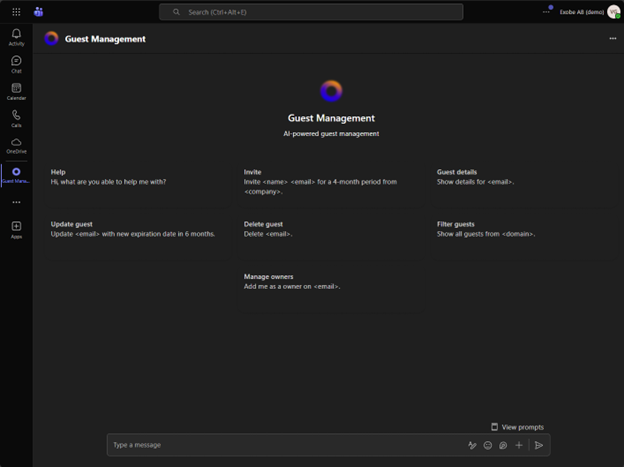
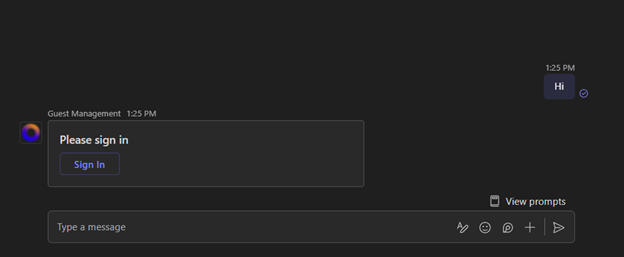
First view of the agent, type anything to start the conversation. Remember to sign in with global administrator the first time you start the agent.

Bild1
Bild2
Bild3

Step 1

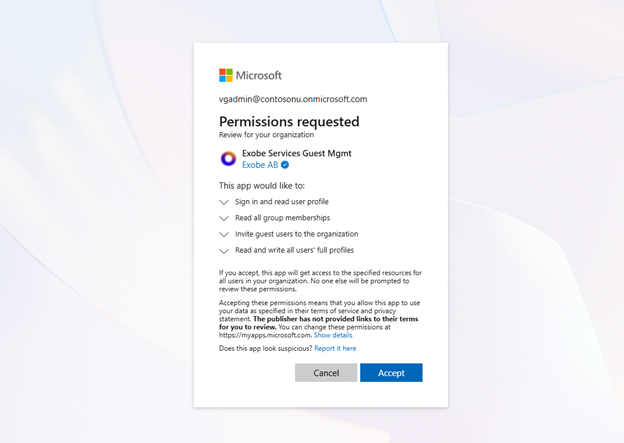
Step 1: After successful sign in. The self-service onboarding started. First stage is to validate permissions for the agent.

Bild4

Click on the ”Approve and run validation” It will take a moment to complete.

Bild5

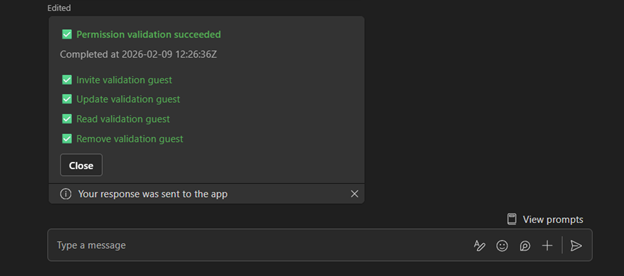
If the user signed in is global administrator permissions are all green, please go ahead and close this message.

Bild6

Step 2

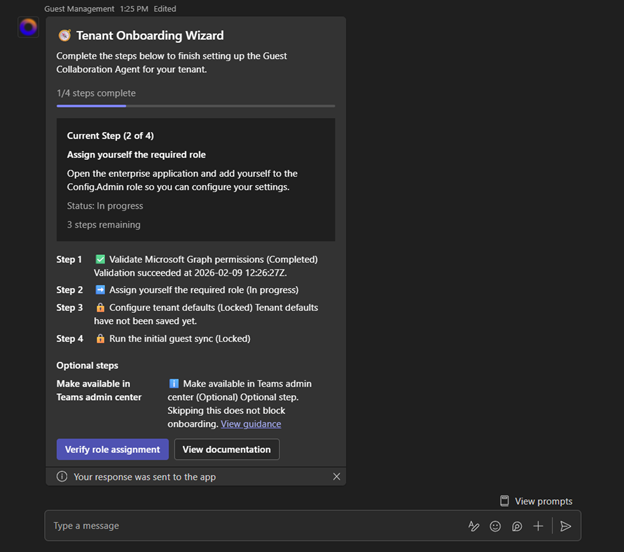
Step 2: Add admin permissions to the first account. Permissions are added on the Entra ID Enterprise application.

Bild7

Navigate to https://entra.microsoft.com/ then click “Enterprise apps” and search for “Exobe Services Guest Mgmt”.

Bild8

Click on “Users and Groups” then click on “Add user/group” to assign permissions.

Bild9

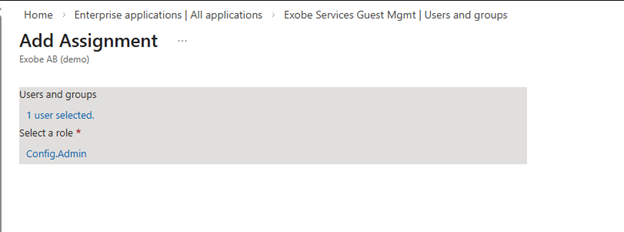
Select your user or a group of admin users. Select the role “Config.Admin”

Bild10

Go back to the application and verify role assignment.

Bild11

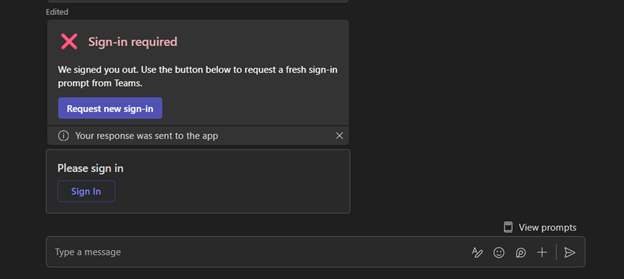
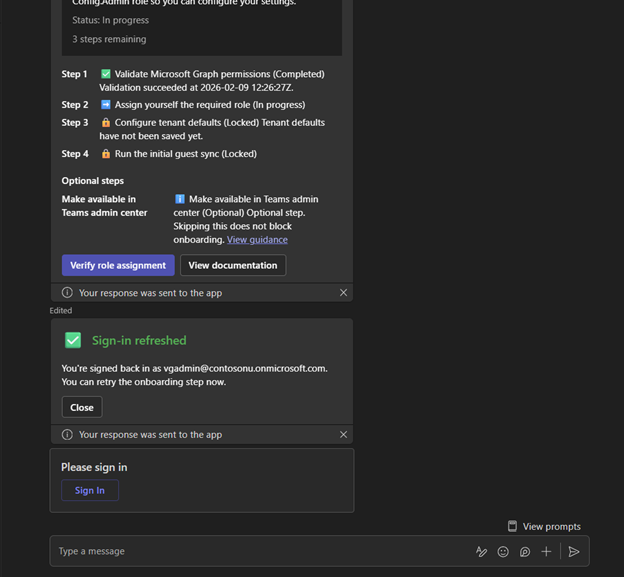
Permissions will fail on the first attempt because of token authentication. Refresh the token to gain the new permissions.

Bild12

Click the sign in button.

Bild13

When sign-in is completed go ahead and click the “Verify role assignment again” to complete step 2.

Bild14

Step 3

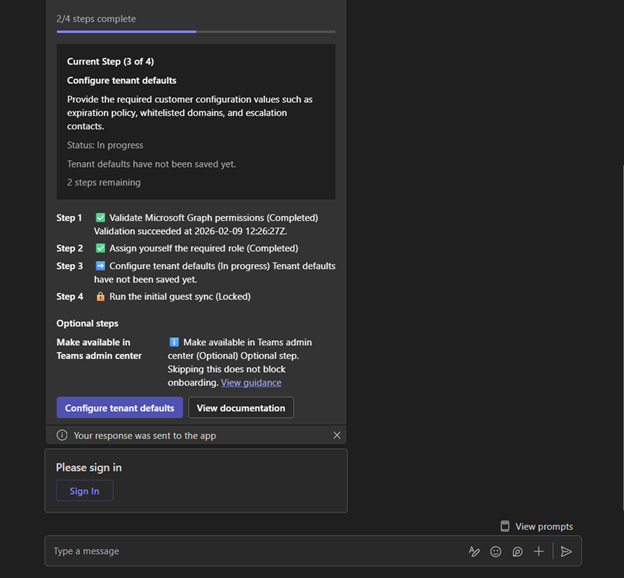
Step 3: Change the default settings to your need. Click on “Configure tenant default.”

Bild15

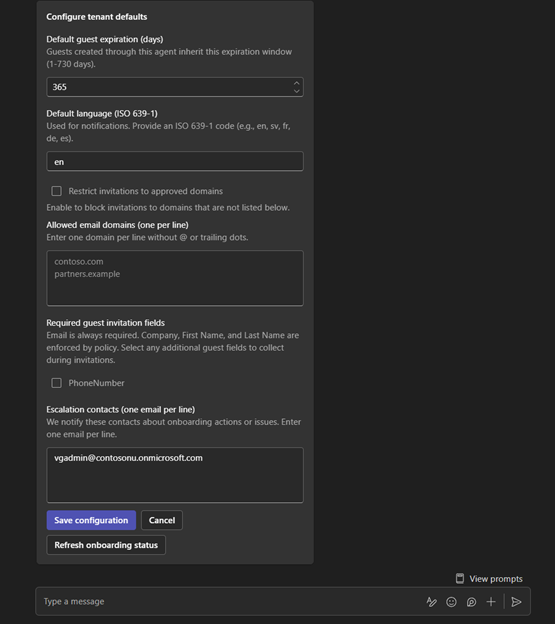
Change any default settings and click “save configuration”

Bild16

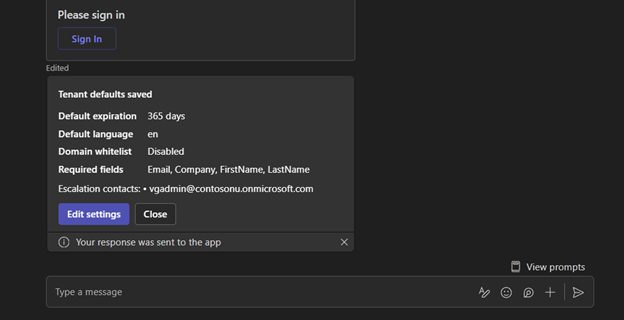
Verify your default settings and click “Close”.

Bild17

Step 4

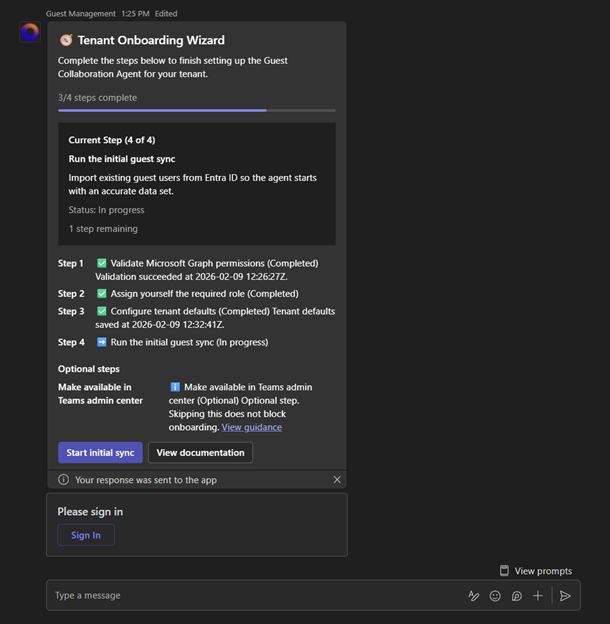
Step 4: Start the application by running the initial sync.

Bild18

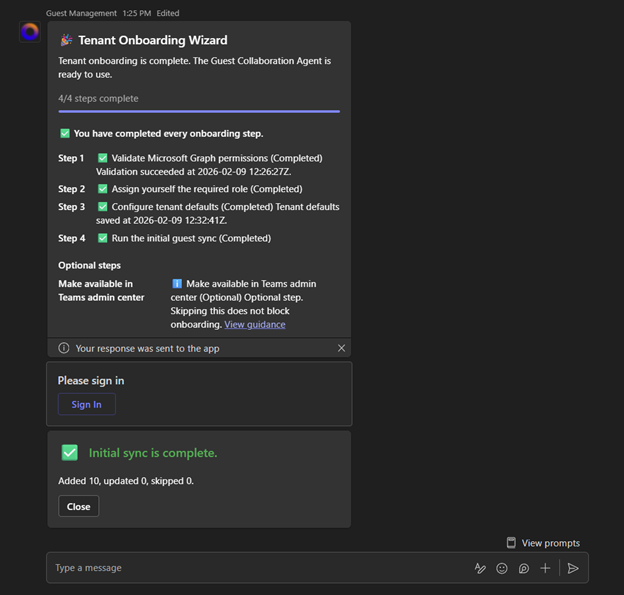
Once the initial sync is completed the onboarding is completed.

Bild19

You are now able to use the agent as a normal user, the agent will monitor new guests and take action accordingly.

Bild20
Guest Management Agent •

At Exobe we help you taking the next step with digital tools and the new way of working. We follow you on your journey towards a new better way of work. Fill in the form below and we will respond as soon as we can.

Hidden

Follow Us!

We love sharing our knowledge, experiences, and new finds from the exosphere. Be sure not to miss out and follow our newsletter or follow us on LinkedIn.

This website uses cookies

Cookies consist of small text files. They contain data that is stored on your device. To enable us to place certain types of cookies we need to obtain your consent. At Exobe AB, corp. ID no. 556769-5605, we use the following kinds of cookies. To read more about which cookies we use and storage times, click here to access our cookies policy.

Manage your cookie-settings

Necessary cookies

Necessary cookies are cookies that must be placed for basic functions to work on the website. Basic functions are, for example, cookies which are needed so that you can use menus on the website and navigate on the site.

Functional cookies

Functional cookies need to be placed on the website in order for it to perform as you would expect. For example, so that it recognizes which language you prefer, whether or not you are logged in, to keep the website secure, remember login details or to be able to sort products on the website according to your preferences.

Cookies for statistics

For us to measure your interactions with the website, we place cookies in order to keep statistics. These cookies anonymize personal data.

Personalization cookies

In order to provide a better experiance we place cookies for your preferances

Cookies for ad-tracking

To enable us to offer better service and experience, we place cookies so that we can provide relevant advertising. Another aim of this processing is to enable us to promote products or services, provide customized offers or provide recommendations based on what you have purchased in the past.

Ad measurement user cookies

In order to show relevant ads we place cookies to tailor ads for you

Personalized ads cookies

To show relevant and personal ads we place cookies to provide unique offers that are tailored to your user data
Bild1
Bild2
Bild3
Bild4
Bild5
Bild6
Bild7
Bild8
Bild9
Bild10
Bild11
Bild12
Bild13
Bild14
Bild15
Bild16
Bild17
Bild18
Bild19
Bild20